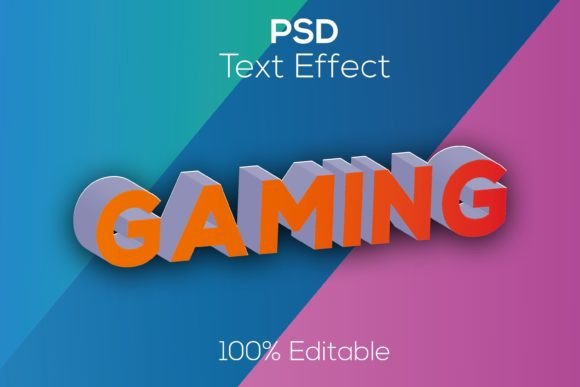
Modern 3D Editable Games Psd Text Effect for Designers
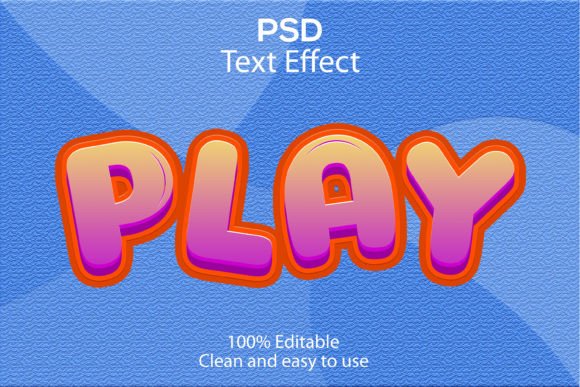
Creating a visually striking headline for a gaming portal, an esports brand, or a mobile game launch often hits a wall: 3D text effects are notoriously difficult and time-consuming to create from scratch. You need the right lighting, perspective, materials, and layer styles to make the text pop without looking cheap or unrealistic. That's precisely where a high-quality resource like the Modern 3D Editable Games Psd Text Effect comes in. It's not just another font file; it's a fully realized, premium design asset built specifically for the high-impact visual language of the gaming industry.
What Exactly is This 3D Text Effect Template?
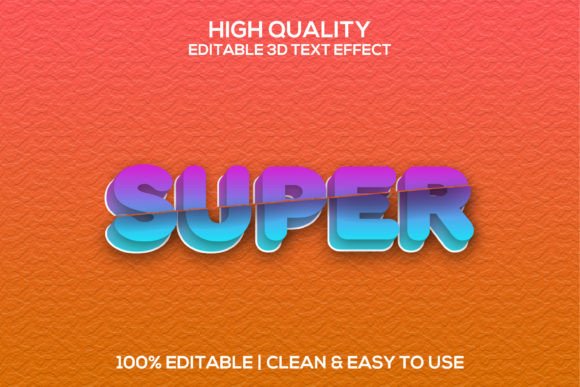
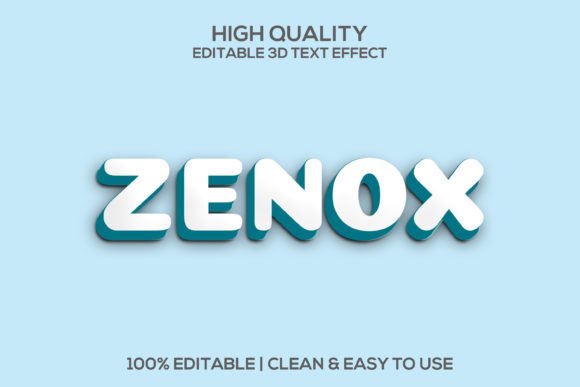
At its core, this is a layered Adobe Photoshop document (PSD) designed to give you a realistic, three-dimensional text effect with minimal effort. It leverages the power of Smart Objects, a feature in Photoshop that allows for non-destructive editing. Instead of spending hours tweaking bevels, shadows, and textures, you simply double-click the Smart Object layer, type your own text, save, and watch your custom 3D logotype or headline render instantly in the main file.
The specifications are built for professional output. The canvas is a generous 3000x2000 pixels at 300 DPI. This high resolution ensures your designs are crisp not only for web banners and social media posts but also for large-format print materials like posters, event signage, and merchandise. The "fully layered" nature means every element—from the base text to the highlights, shadows, and background effects—is on its own layer. This gives you granular control to adjust colors, opacity, and positioning to perfectly match your brand's color palette or a client's specific request.
Practical Applications: Beyond Just Game Titles
While the name suggests a focus on "games," the applications for a bold, modern 3D effect are surprisingly broad. Think of it as a tool for adding a layer of premium, eye-catching depth to any project that needs to command attention immediately.
- Branding & Logo Design: For a gaming studio, an esports team, or a tech startup, a 3D logotype can instantly convey innovation and dynamism. This template lets you prototype and finalize a logo concept quickly, presenting clients with a polished, realistic mockup.
- Social Media Graphics: In the endless scroll of platforms like Instagram, Twitch, or YouTube, a flat image gets lost. A 3D text effect for a channel name, a stream title, or a promotional post for a new game level stops the scroll and increases engagement.
- Website & Blog Headers: Use it to create compelling hero images for a game review blog, a gaming news portal, or the landing page of a new app. It sets an immediate tone of quality and excitement.
- Packaging & Merchandise: Imagine this effect on the packaging for gaming peripherals, energy drinks, or even a special edition t-shirt. It translates a digital aesthetic into a physical, tactile experience that fans love.
- Marketing Assets & Digital Products: From email newsletter headers to digital ad banners and webinar title slides, this effect adds a professional sheen to any marketing collateral. It’s perfect for creating assets for a game launch campaign or a digital product sale.
Improving Your Design Workflow and Visual Consistency
One of the biggest challenges in branding and marketing is maintaining visual consistency across dozens, if not hundreds, of assets. A tool like this PSD text effect becomes a cornerstone of your visual identity system. By using the same effect across your social media posts, website banners, and promotional videos, you create a recognizable and cohesive brand language. Your audience starts to associate that specific 3D style with your brand, which dramatically improves brand recognition.
From a practical standpoint, it’s a massive time-saver. Instead of recreating a complex 3D effect from memory for each new project, you have a reliable, customizable template. This frees up creative energy to focus on strategy, copywriting, and overall layout rather than getting bogged down in technical Photoshop tutorials. The "easy to use" and "clean" descriptors are key here; a well-organized PSD file with clearly labeled layers and intuitive Smart Objects makes the customization process smooth and frustration-free, even for those who aren't Photoshop experts.
Choosing the Right Font Style for Your Project
The text effect is the vehicle, but the font you pair with it is the driver. The choice of typeface inside the Smart Object will fundamentally change the mood of the final design. A bold, geometric sans serif font will feel modern, clean, and tech-forward—ideal for a racing game or a fintech app. A sharp, angular serif font could evoke a sense of history, fantasy, or prestige, perfect for an RPG or a luxury brand. A stylized script font might work for a more playful, casual game or a creative agency.
Always consider readability. While a highly decorative font might look interesting in a headline, it must remain legible at the sizes you intend to use it. Test your chosen font within the Smart Object at different scales. Does it hold up as a website header? What about as a smaller social media post title? The goal is to balance aesthetic flair with clear communication.
Don't be afraid to experiment with font pairings. Use the 3D effect for your main headline with a bold display font, and pair it with a simple, clean sans serif for body text. This creates a visual hierarchy that guides the viewer's eye and makes your overall design more professional and easier to digest.
Final Considerations Before You Dive In
Before purchasing or downloading any premium design asset, a quick checklist is in order. First, verify the commercial licensing. Ensure the license allows for the intended use, whether it's for personal projects, client work, or products for sale. Most reputable sources are clear about this.
Second, take a moment to review the included font styles or any readme files. Sometimes, a template may recommend or require a specific free or premium font to achieve the exact look shown in the preview. Knowing this upfront saves you a headache later.
Finally, think about integration. How will this 3D text effect fit into your broader design toolkit? Is it a one-off solution for a specific project, or will it become a recurring element in your brand's visual identity? When used thoughtfully, a high-quality, fully customizable asset like the Modern 3D Editable Games Psd Text Effect isn't just a shortcut—it's a strategic investment in the visual impact and professional polish of your work.