Create Your Own Planner This Summer: Day Planner Print Ready & KDP
There’s a unique satisfaction that comes from using a planner you’ve designed yourself. The perfect layout, the right colors, the font that feels just like you—every detail tailored to your workflow. For creators, small business owners, and organized minds, this isn’t just a dream. With the right tools, you can build a fully functional, beautiful planner in time for Q3 and Q4. Whether you’re planning to sell on Amazon KDP, offer them as a digital download, or simply print them at home for personal use, having a professional, editable foundation is the key to making it happen efficiently.
This summer presents the perfect opportunity to get ahead. Instead of scrambling in the fall, you can develop a suite of planners now that are ready for the busiest planning seasons of the year. The concept is straightforward: start with a high-quality, print-ready template that gives you complete creative control. This approach saves countless hours of layout work while still allowing for total customization. You don’t need to be a graphic design expert to make impactful changes. With a basic understanding of design software, you can adjust colors to match your brand, swap fonts to reflect your style, and rearrange elements to create a planner that feels uniquely yours.
Why Editable Templates Are a Game-Changer for Creators
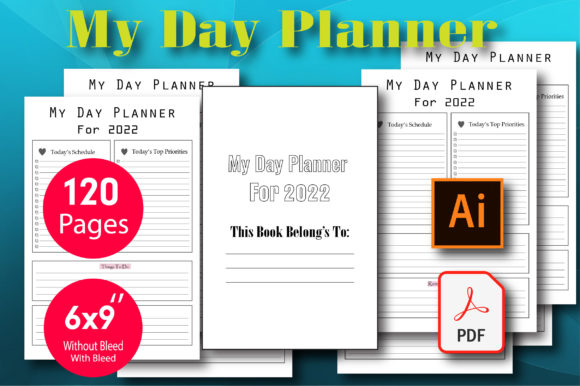
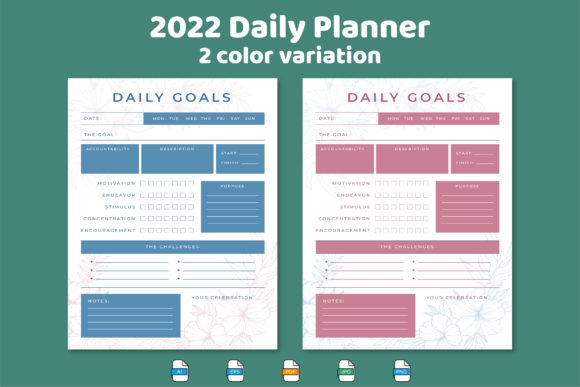
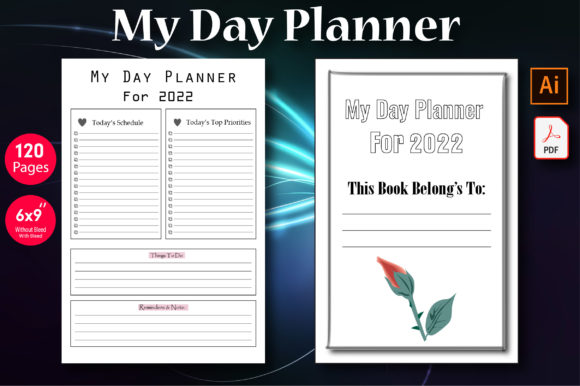
The real value of a package like the Day Planner Print Ready & KDP lies in its flexibility. It’s not a static PDF you’re stuck with. It’s a set of design assets in multiple formats, each serving a different purpose. The Adobe Illustrator (AI) files, sized at 6 x 9 inches, are the core of the editable experience. Here, every single element is on its own layer. The background color, the header text, the line spacing, the decorative motifs—all can be modified. This is where you inject your personality or your client’s brand identity. Changing a color palette from a soft pastel to a bold, energetic hue can completely transform the planner’s mood, making it suitable for a corporate audience or a creative artist.
The JPG files are your ready-to-go visuals. These are perfect for creating mockups, social media promotions, or listing images for your Etsy shop or KDP store. They give you a polished preview without needing to open any design software. The PDF files are the workhorses for print. They are optimized for high-resolution printing, ensuring that text is crisp and graphics are sharp, whether you’re using a home printer or sending them to a professional print shop. This multi-format approach means you have a complete toolkit for the entire lifecycle of your product—from design and marketing to final production.
Practical Applications Beyond Personal Planning
While the primary use is creating a personal or commercial planner, the components of this package have wider applications. Think of the individual pages as design modules. A beautifully designed weekly spread could be repurposed as a content calendar template for your marketing team. A goal-setting page could be adapted into a worksheet for a workshop you’re hosting. The clean, professional layout serves as a strong foundation for various editorial layouts.
For those running a small business, these templates can be integrated into your brand toolkit. You could create a branded planner to give as a client gift, reinforcing your professionalism and attention to detail. The consistent visual language of the planner—its fonts, colors, and spacing—can help strengthen your overall brand recognition. Imagine the impact of a custom planner that aligns perfectly with your website and social media graphics. It creates a cohesive experience for your audience, whether they’re interacting with you online or holding a physical product in their hands.
Maximizing Your Design for Readability and Engagement
A beautiful design is worthless if it’s not functional. When customizing your planner, always keep the end-user’s experience in mind. Readability is paramount. If you change the font, test it thoroughly. A delicate script font might look lovely for a title but will cause eye strain if used for daily notes. Pair a clear, legible sans serif font for body text with a more expressive serif or script font for headings. This contrast creates visual hierarchy and guides the user’s eye naturally through the page.
Consider the practicality of your layout. Are the lines for writing spaced appropriately? Is there enough white space to prevent the page from feeling cluttered? Print a test page before committing to a full run. Hold it in your hands, write on it, and see how it feels. This tactile feedback is irreplaceable. For digital planners, ensure the interactive elements, if any, are intuitive. The goal is to create a tool that people will want to use every day because it makes their life easier, not more complicated.
Preparing Your Planner for KDP and Home Printing
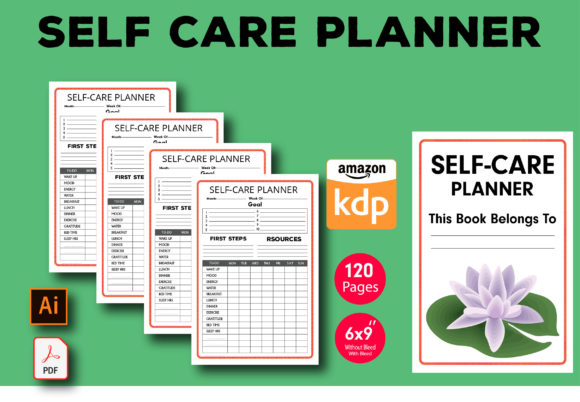
If you plan to sell on Amazon KDP, understanding their specifications is crucial. The 6 x 9 inch format is a popular and accepted size, which simplifies the process. Your PDF file is already set to these dimensions. You’ll need to create a separate cover design that meets KDP’s bleed and spine width requirements, which vary based on your page count. The interior file, however, is ready to upload. The print-ready nature of the PDF ensures it will reproduce well on KDP’s printing presses.
For home printing, the process is even more direct. Load the PDF, select the correct paper size in your printer settings, and print. You can choose to print single-sided for notes that span the entire page or double-sided to save paper. Consider using a heavier paper stock, like 24 lb or 32 lb, for a more premium feel that prevents ink bleed-through. Once printed, you can bind it with a simple spiral binding machine, use a 3-ring binder, or even have it bound at a local office supply store for a few dollars. The instant print capability means you can produce planners on demand, eliminating inventory costs and waste.
Getting Started This Summer
The key to making this project a success is to start now. Block out a weekend to explore the files. Familiarize yourself with the layers in the AI file. Play with the color swatches. Find a font pairing that resonates with you. The process should be enjoyable, a creative outlet that results in a useful product. By taking the time to design and refine your planner this summer, you’ll be perfectly positioned to launch it as a product for the back-to-school and new year planning rushes. You’ll have a polished, professional item ready for sale or personal use, all created from a foundation that saved you dozens of design hours.
For those interested in exploring more design resources for their projects, visiting a creator’s store can provide additional inspiration and tools. Having a library of assets like premium fonts, graphics, and templates can streamline your workflow across all your branding and marketing efforts.